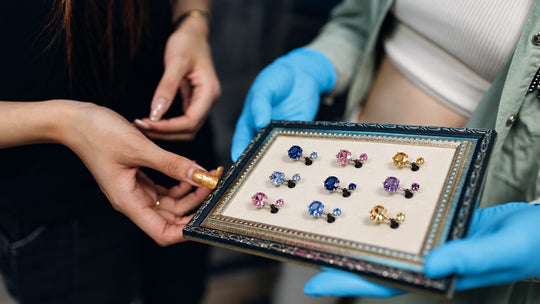
A finished piece sitting in a tray stays idle. A finished piece on a live listing starts working the moment it appears.
The gap between those two states is where most jewelry operations lose weeks. The photography itself takes minutes. What stretches is everything after: culling frames, retouching, removing backgrounds, writing a description, resizing files, uploading, filling in fields, adding alt text. Each step hands the piece to a different tool, and every handoff is a place where a piece waits.
This covers where listing time actually goes, what a live listing requires before it earns placement, and a stopwatch audit you can run on your own pipeline this week.
What Actually Slows a Jewelry Listing Down?
Handoff count determines listing speed, and most operations run seven of them per piece.
Count your own: camera to computer, computer to editing software, editing software to background removal, background removal back to storage, storage to a description document, description to the store admin, admin to the metadata fields. Each transfer is a moment where a piece joins a queue, and queues are where weeks go.
The photography itself rarely sits in the critical path. A jeweler shooting twenty pieces spends an afternoon on capture and three weeks on everything downstream, because capture happens in one sitting while the rest happens whenever someone has an hour.
What makes the delay expensive is that a listing is a working asset the moment it exists. Google treats a product page as a structured data object, and pages carrying Product and Offer markup become eligible for merchant listing experiences across Search, including the shopping knowledge panel, Google Images, popular product results and product snippets. Price and availability sit among the properties that qualify a page for those placements. Every week a piece waits is a week it sits outside all of it.
GemIQ Software is the platform that carries a piece through capture, organizing, sharing and selling inside one system. It runs with the GemIQ imaging hardware and holds the stages that usually live in separate tools.
Four features carry the workload: Auto-Descriptions, Smart Backgrounds, GemBrush retouching, and Shopify integration. The design intent across all four is the same, which is collapsing handoffs. Background removal happens where the image already lives. The description generates against the piece already in the catalog. Upload goes direct to the store.
The practical effect shows up in where your attention goes. A pipeline with seven handoffs asks you to remember where each piece is. A pipeline with two asks you to review and approve. That shift from tracking to reviewing is the whole return.
How Much Time Does Capture Actually Take?
Capture speed sets the ceiling for everything downstream, since a session that produces usable frames the first time removes the reshoot loop entirely.
GemLightbox Pro is GemIQ's AI lightbox at $3,697, with built-in aerial and base turntables. Its Burst Mode produces four photos and one video in fifteen seconds. GemLightbox Max is the 2026 flagship, carrying 2.5x the capture area of Pro, 360 shadowless Infinity Lighting from a 12-point LED array, auto-catalog, auto-descriptions, direct Shopify upload and RapNet integration for wholesale and diamond work. GemCam Pro at $3,499 is the dedicated jewelry camera for true color and detail, and it stays the right call for colored stones and engraving where color fidelity carries the value claim.
For jewelers whose selling happens at the bench or the counter alongside the studio, GemLightbox Mini extends the same software pipeline into those moments. The studio setup keeps the planned catalog runs, and Mini covers the piece that needs listing the evening it comes off the bench.
Run the arithmetic on a twenty-piece session. Fifteen seconds of capture per piece is five minutes of camera time. Everything else in your current process is the other several hours, which tells you where to look.
Where Do Auto-Descriptions Save Time, and Where Does a Human Edit?
Auto-descriptions handle the structural copy, and you add the trade knowledge that converts.
Worth being straight about the division. A generated description reliably covers what is visible and measurable: metal, form, stone shape, setting style, dimensions. That copy is accurate, consistent across a catalog, and tedious to write two hundred times. Handing it to the software is a clear win.
What a generated description leaves for you is the part a buyer pays for. Provenance on an estate piece. The reason a particular cut suits a particular hand. The maker's mark and what it signifies. Why this sapphire reads the way it does under daylight. That knowledge lives with the person who bought the stone and set it, and a buyer reading two listings will pick the one carrying it.
The workflow that works treats the generated text as a complete first draft and gives each listing one pass for the trade detail. Two minutes per piece on the part only you know, with the structural copy already handled.
One quality point carries over from catalog work: descriptions written fresh against your own images outperform manufacturer copy duplicated across every retailer selling the same line. Our guide to catalog image consistency covers the matching standard on the visual side.

What Does Shopify Need From Your Files?
Shopify accepts images up to 20 MB in JPEG, PNG, WEBP, HEIC and GIF, and video up to 1 GB at resolutions reaching 4K.
Those limits come from Shopify's own file upload requirements, and they matter for a reason that surprises people. The ceiling is generous enough that a jeweler uploading straight from a camera will clear it easily, which means the platform accepts files far heavier than a product page should carry.
That is where this intersects with page performance. An image that uploads successfully still arrives on a buyer's phone, and a gallery of 8 MB files turns a product page into a slow one. Our guide to image weight and page speed covers the sizing targets.
Direct upload earns its place here by handling the step where most catalogs break down. A piece photographed, retouched and described inside one system moves to the store as a complete listing rather than as a folder of files someone matches to a product record later. The matching step is where mismatched images end up on the wrong listing, and removing it removes that whole category of error.
How Do You Keep Metadata From Becoming the Next Bottleneck?
Build metadata into the publishing step, since retrofitting it across a live catalog costs far more than adding it at the point of upload.
Three fields earn attention per listing:
Alt text. Describe what appears in the frame, using the terms a buyer would use. This serves accessibility first and image search second, and both reward the same plain description.
File naming. A descriptive file name carries meaning into image search. Sequential camera output carries numbers.
AI-generated image labeling. Any image produced through generative tools and headed for Google Shopping needs IPTC DigitalSourceType metadata under Merchant Center policy. Our guide to AI model and lifestyle imagery covers the full requirement.
Each of these takes seconds at upload and hours at scale afterward. Treating them as part of publishing rather than as a later cleanup project is the entire difference.
How Do You Time Your Own Pipeline?
Run this audit on your next ten pieces and the bottleneck will name itself.
Most operators estimate their listing time at roughly a third of what it actually is, because the estimate counts the work and skips the waiting. The waiting is the finding. Here is the exercise.
Start the clock the moment a piece is finished and ready to photograph. Write the date and time on a card that travels with the piece.
Checkpoint one, capture complete. Note the time when you have frames you intend to use.
Checkpoint two, images final. Note the time when retouching and backgrounds are done and the images would satisfy you on a live page.
Checkpoint three, copy written. Note the time when the description is finished.
Checkpoint four, listing live. Note the time when the piece is publicly purchasable with images, price and availability in place.
Do this for ten pieces across a normal working fortnight, working exactly as you usually would. Then read the gaps rather than the total.
If the largest gap sits between checkpoints one and two, your bottleneck is post-processing. Retouching and background work are consuming the pipeline, and that work belongs in the capture step where the image already lives.
If the largest gap sits between checkpoints two and three, your bottleneck is copy. Writing descriptions from scratch for every piece is a writing project disguised as a listing process, and generated structural copy plus one human pass will collapse it.
If the largest gap sits between checkpoints three and four, your bottleneck is the handoff into the store. Files are finished and waiting for someone to match them to product records, which is exactly the step direct upload removes.
If the gaps are evenly spread and the total runs into weeks, the problem is handoff count rather than any single stage. Every transfer adds a queue, and the fix is a pipeline with fewer places to wait.
Run it once and you own a real number for your own operation. That number is worth more than any benchmark, because it tells you which single change moves your inventory to market fastest.

Ready to shorten the distance between bench and listing? Explore GemIQ.
Sources
- Google Search Central, "Merchant listing (Product, Offer) structured data." https://developers.google.com/search/docs/appearance/structured-data/merchant-listing
- Shopify Help Center, "Uploading and managing files." https://help.shopify.com/en/manual/shopify-admin/productivity-tools/file-uploads
- GemIQ product specifications, GemLightbox Pro, GemLightbox Max, GemCam Pro and GemIQ Software.